How Lapsly works: step by step
In Lapsly everything is connected: trainings, attendance, tests, results, events and reports. Enter data once and it works for you later — in rankings, comparisons, and analysis.
All in one cycle
First you set up the club and groups. Then you log trainings and attendance every day. Periodically you run tests. Meet results come in manually or via LENEX. The system connects it all into rankings, comparisons, and reports.
-
1. Club setup
Users (athlete/coach/parent/admin), training groups, roles and access.
-
2. Trainings daily
Training type, time of day, distances by stroke, and attendance — all stored consistently.
-
3. Tests control
Time and distance tests (T-10/T-12/T-20/T-30) + progress history.
-
4. Results analysis
Meets (including LENEX import), rankings, athlete comparisons, and reports with export.
Set up club, users, and groups
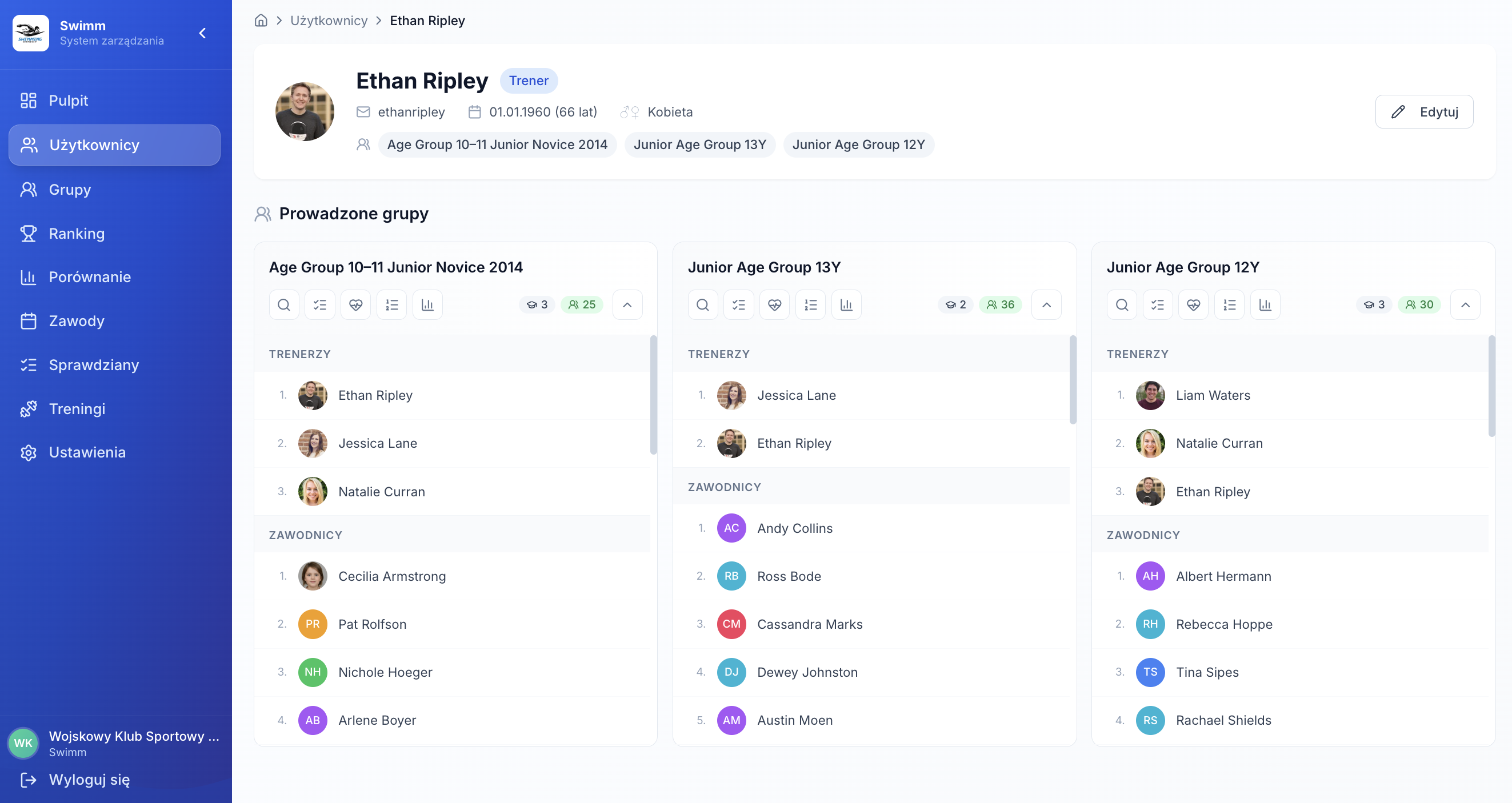
At the start you build the structure: add athletes, coaches, and parents, create training groups, and assign roles. This is the foundation — everything else attaches to groups and people.
Users and roles
Athlete, coach, parent, admin — each has their own context and access.
Training groups
Group cards, athlete/coach counts, training history and results.
- Add athletes to groups (manually / by birth year)
- Coach assignments with quick access to lists and results
- User profile cards: trainings, goals, attendance, reports
Views: users and groups
Module overview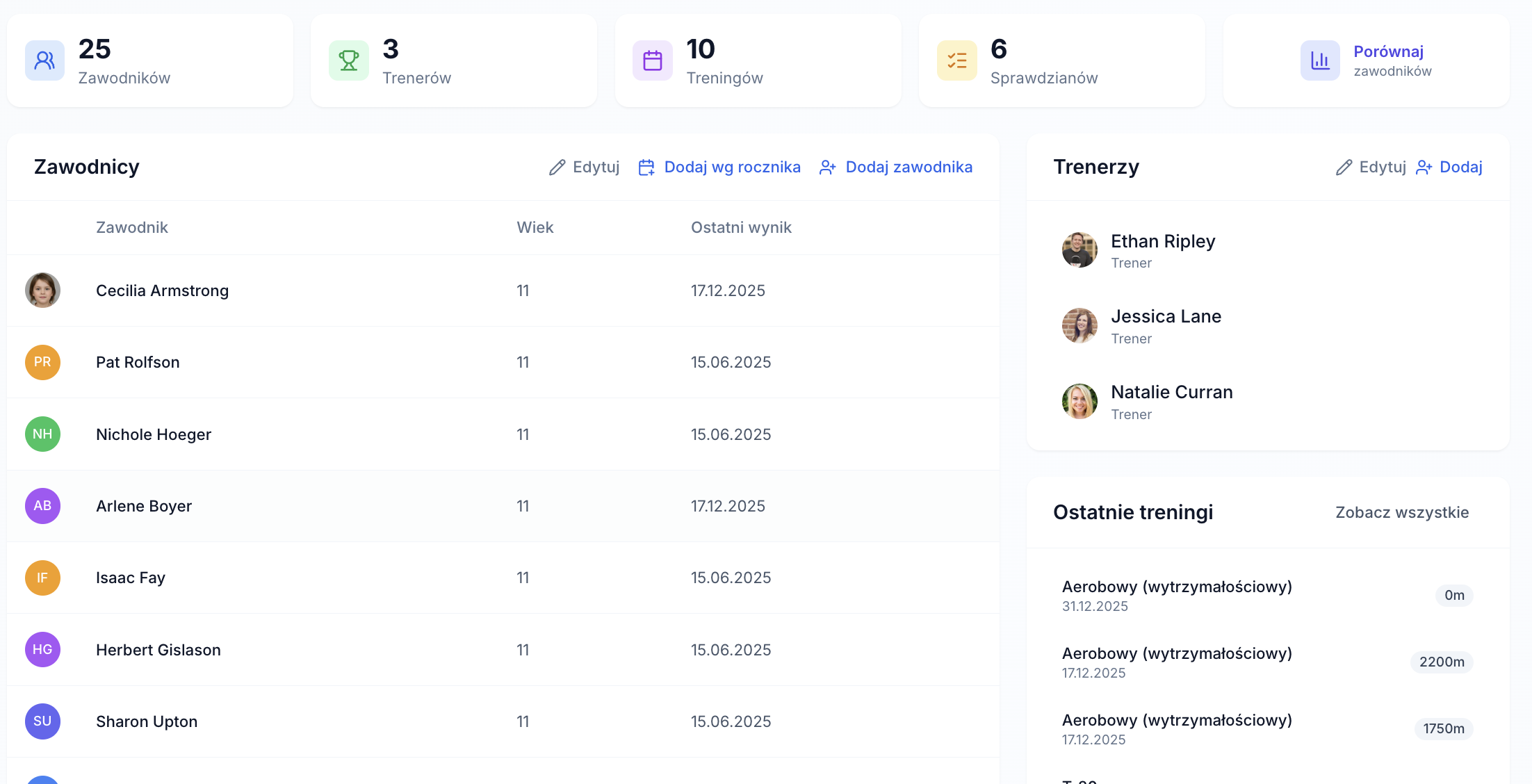
Views: training and attendance
screenshots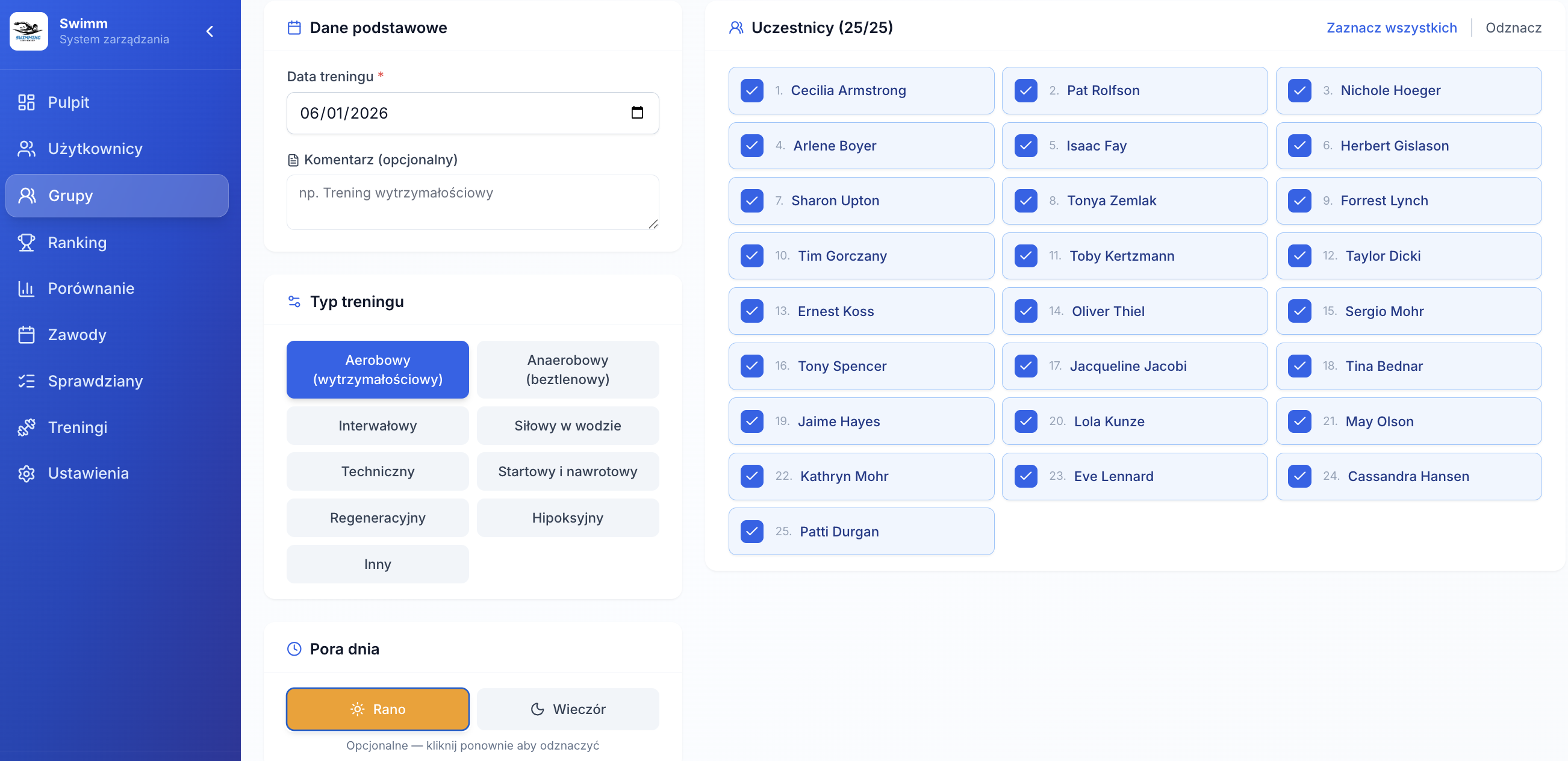
Log trainings and attendance (without friction)
After training you enter one consistent data package. This is the key: with that, Lapsly can calculate attendance, sum distances and build reports without extra work.
Type + time of day
Aerobic, technique, strength, and more — plus AM/PM for quick context.
Distances by stroke
Free, back, breast, fly, IM — simple and consistent in reports.
- Participant list (select all or choose)
- Monthly attendance view (athlete × dates)
- Global “Trainings” view for the club + filters
Add tests and track progress
Tests are the “bridge” between training and competition. In Lapsly you get them in one module (global) and in group context, with filters and history.
Time trials
Select group, stroke, pool length, then enter athlete times in a table.
Distance tests
T-10, T-12 (Cooper), T-20, T-30 — enter distance, keep history.
- Test totals + split by time/distance
- Filters: group, test type, date range
- Quick jump to athlete profile and history
Views: tests
screenshots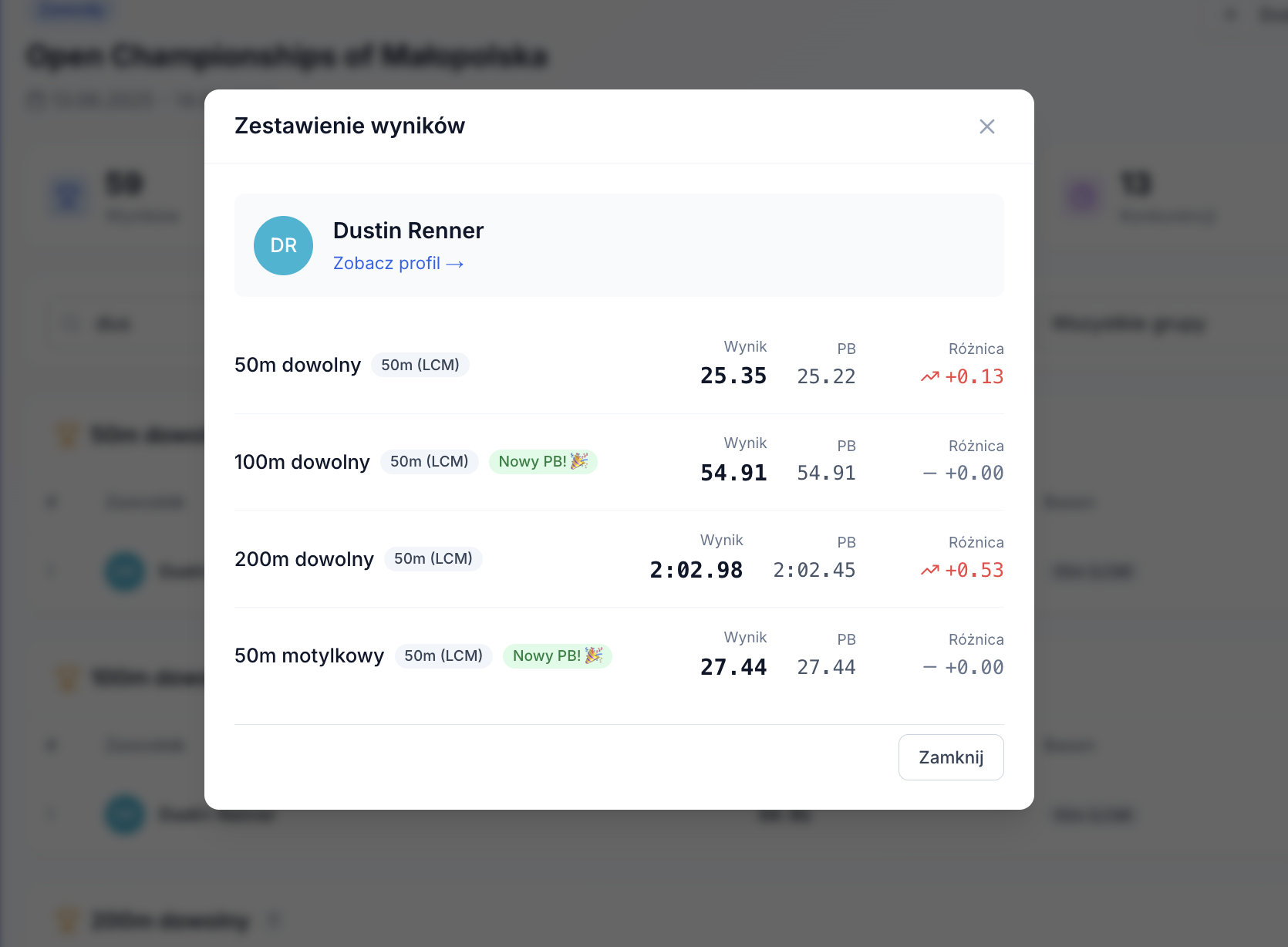
Views: meets and LENEX import
screenshots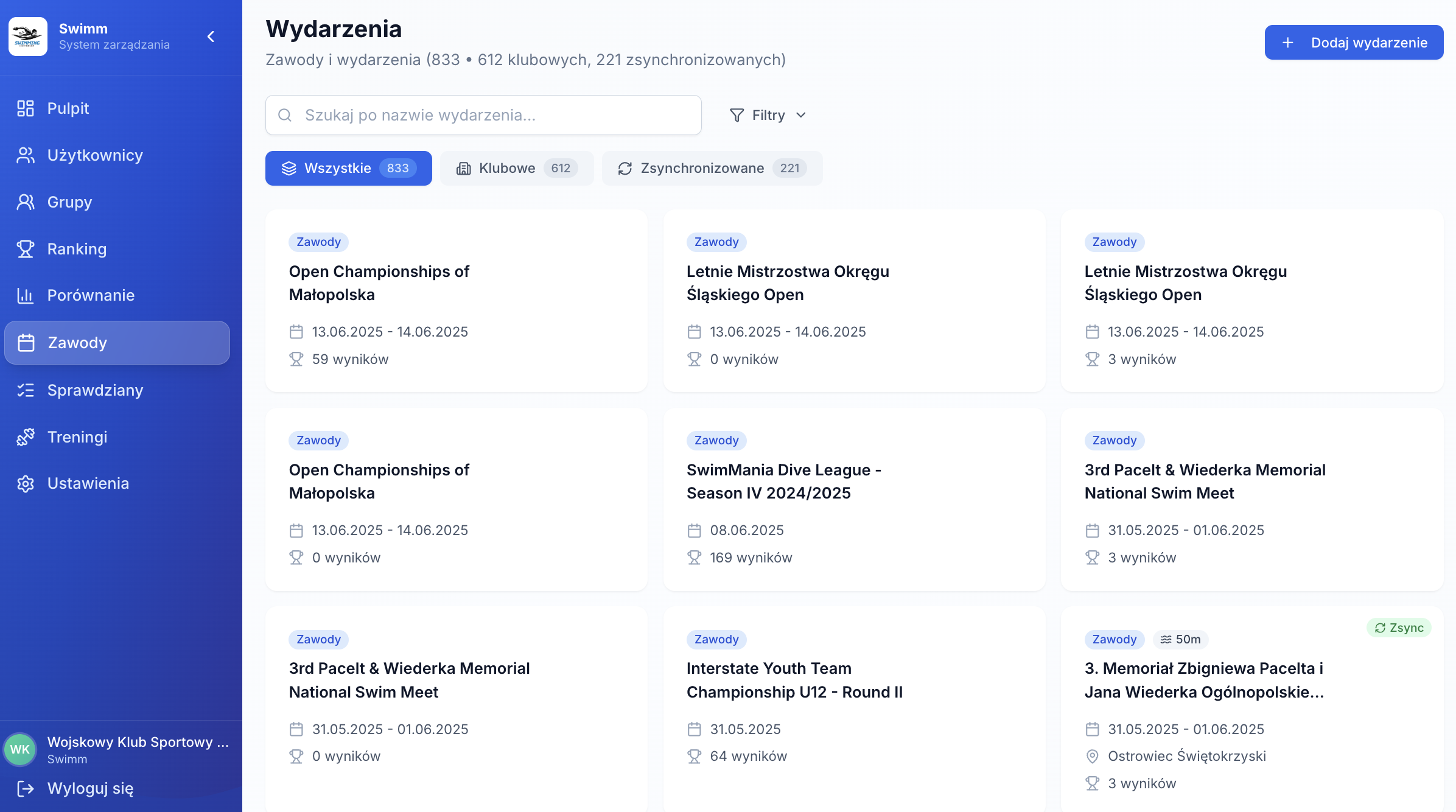
Meets, results, rankings, and comparisons
Meet results are the “real truth”. Lapsly keeps them in one database — club events and imported results (LENEX).
Events by season
Events list with metrics and race sections with rankings.
LENEX import
Drop LXF/LEF/XML — results and races become searchable instantly.
- Ranking filters: stroke/pool/group/date + points
- Compare 2–6 athletes (PBs) + filters
- Reports and export: CSV/Excel/PDF when needed
Roles & access: order and safety
Club data has different “sensitivity”. Lapsly uses roles and context: coaches work on their groups, parents see their child, admins have full access.
Coach
Group view, trainings, attendance, tests, and results.
Parent / guardian
Access to child data only — no extra noise.
Administrator
Full control: users, roles, groups, access, configuration.
Preview: views and context
screenshots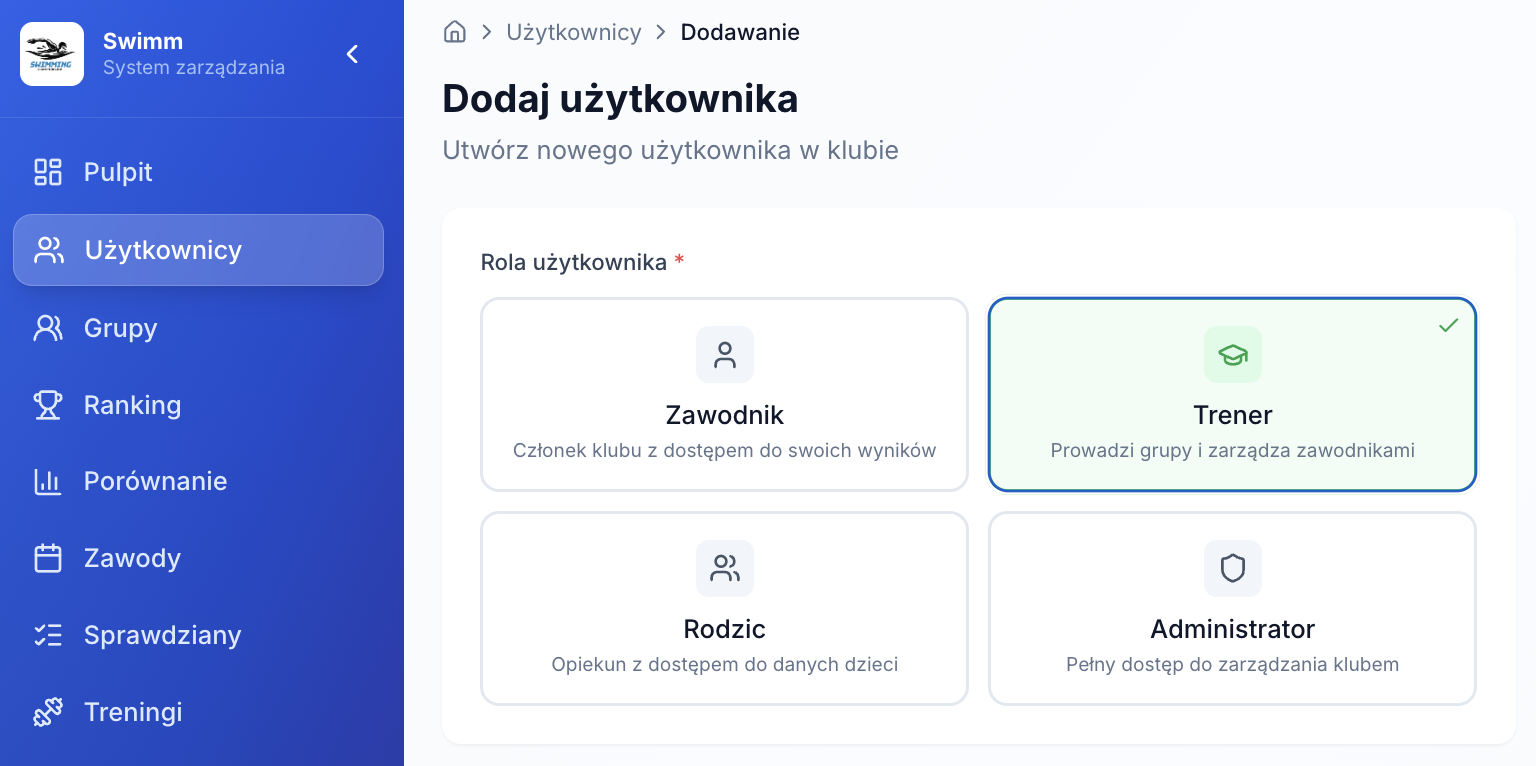
Want to see this live?
In the demo we go through a real club scenario: group → training → test → meet (LENEX) → ranking → report. No slideware. Just the system.
What to prepare before the demo
- Approx. number of athletes and groups
- How you log trainings today (Excel/notes/system)
- Do you have LENEX (LXF/LEF/XML) or LiveTiming data?
- Which reports matter most (attendance/distance/results)